

Professional Water Damaged Electronics Restoration in Detroit, MI
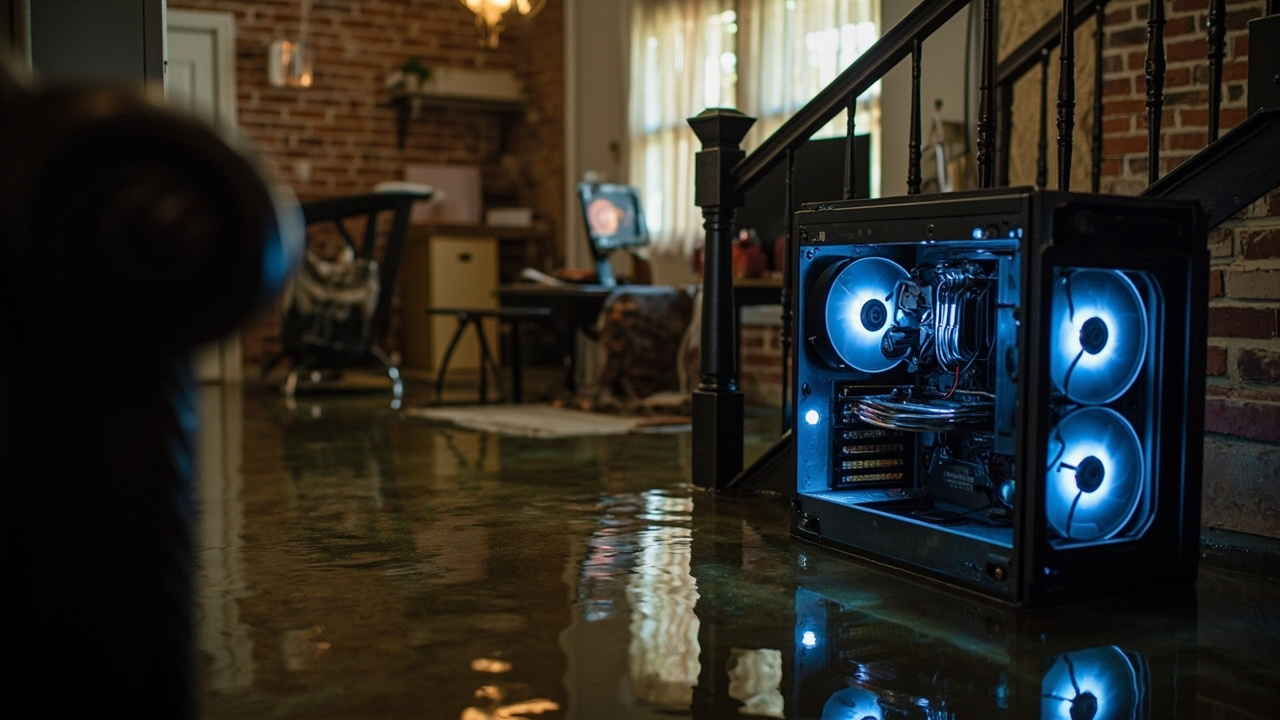
Your basement just flooded and your gaming rig, work computer, or home server is sitting in water. Stop. Do not touch it yet. The next ten minutes matter more than anything else you will do today.
Detroit basements flood. It happens in Corktown, East English Village, Bagley, and every neighborhood in between. The city sits in a low-lying basin, the storm sewer system gets overwhelmed fast, and older homes with clay tile drainage around their foundations are especially vulnerable. When water rises in your basement, it does not care what is sitting on the floor.
Electronics and water are a bad combination, but a wet computer is not automatically a dead computer. The window for saving it is narrow. Here is exactly what to do.
Immediate Steps for Wet Electronics (The First 30 Minutes)
Step One: Do Not Plug It In or Turn It On
This is the most critical rule. If your PC, laptop, or gaming console was powered off when the flood hit, do not turn it on to test it. Water inside a circuit board causes short circuits the moment power flows through it. That single action can turn a recoverable board into a burned one.
If it was powered on during the flood and you cannot safely reach the outlet, call your power company. Do not wade into standing water near live electrical outlets. The electrocution risk is real and immediate.
Step Two: Remove the Device From Water and Disconnect All Power
Once you have confirmed the power is off or it is safe to move, get the device out of the water. Disconnect every cable, including the power cord, USB devices, HDMI cables, and any external drives. Remove the battery if it is a laptop. Place the device on an elevated, dry surface.
Step Three: Do Not Use a Hair Dryer or Put It in Rice
The rice trick is a myth. Rice does not absorb moisture from inside a sealed chassis at any meaningful rate. A hair dryer blows hot air that can warp plastic components and push water deeper into the board. Both approaches feel productive but cause more damage than doing nothing.
The only correct drying method for flooded electronics involves controlled low-heat environments, proper disassembly, and professional dehumidification or vacuum freeze drying. More on that below.
Step Four: Document Everything Before You Touch More
Before you do anything else, take photos and video of the device in its flooded position. Photograph the water level, the damage to the surrounding area, and every connected peripheral. This documentation is essential for your homeowner’s insurance claim. If you need guidance on that process, read our breakdown on how to get your Detroit home insurance to actually pay for water restoration.

Why Flood Water Type Changes Everything
Not all water damage is equal. The type of water that hit your equipment directly affects restoration success rates and the methods required to clean the boards safely.
| Water Category | Source | Contamination Level | Electronics Restoration Complexity | Typical Success Rate |
|---|---|---|---|---|
| Category 1 (Clean) | Burst supply pipe, rain intrusion | Low mineral content, no pathogens | Moderate, corrosion still possible | 75 to 90 percent |
| Category 2 (Gray) | Sump pump failure, appliance overflow | Detergents, light biological matter | High, electrolytic contamination risk | 55 to 75 percent |
| Category 3 (Black) | Sewage backup, storm drain overflow | Sewage, heavy bacteria, solids | Very high, requires full decontamination | 30 to 55 percent |
Detroit’s combined sewer system, which carries both stormwater and sewage in the same pipes, means a heavy rain event often pushes Category 3 water into basements through floor drains. If your basement smells like sewage after flooding, treat every surface and every device as contaminated until proven otherwise.
The Technical Restoration Process for Flooded Electronics
Professional water damaged electronics restoration is not just drying out a device. It is a multi-stage process designed to stop corrosion, remove electrolytic contamination, and stabilize the board before it is ever powered on again. Here is how a proper restoration works.
Stage 1: Safe Disassembly and Initial Assessment
A technician opens the device and inspects every component. They are looking at the motherboard, GPU, RAM slots, power supply, and storage drives separately. They identify where water pooled, whether corrosion has started, and which components are salvageable.
Stage 2: Ultrasonic Cleaning
Ultrasonic cleaning uses high-frequency sound waves in a cleaning solution to remove mineral deposits, flux residue, and biological contamination from circuit boards. The microscopic bubbles reach places no brush or air can. This is the standard for professional electronics restoration and the reason consumer methods fail.
Stage 3: Deionized Water Rinse and Corrosion Mitigation
After ultrasonic cleaning, boards go through a deionized water rinse to remove cleaning solution residue. Deionized water has no mineral content, so it leaves nothing behind as it evaporates. Technicians then apply technical-grade isopropyl alcohol (99 percent pure, not the 70 percent from a drugstore) to displace remaining moisture and inhibit circuit board oxidation.
Stage 4: Controlled Drying
The board goes into a desiccant drying chamber or undergoes vacuum freeze drying, depending on the severity of the water intrusion. Desiccant drying uses silica-based materials in a sealed, temperature-controlled environment to draw moisture out slowly without heat stress. Vacuum freeze drying is faster and more effective for deeply saturated components.
Stage 5: Functional Testing and Data Recovery
Once dry, technicians power up the board in a controlled environment, test every component, and assess data storage devices separately. Hard drives and SSDs that were submerged often require specialized data recovery procedures independent of the board restoration process.
The IICRC (Institute of Inspection Cleaning and Restoration Certification) sets the industry standard for restoration procedures, including electronics. Working with IICRC-certified professionals means the restoration follows documented protocols, not guesswork.
How Fast Does Corrosion Set In
Speed is not optional here. Once water contacts a copper circuit board trace, oxidation begins within hours. The timeline below reflects what happens to untreated electronics after a flood.
| Time Since Flood Exposure | What Is Happening Inside the Device | Restoration Outlook |
|---|---|---|
| 0 to 2 hours | Water spreading, no significant corrosion yet | Best possible window, high recovery rate |
| 2 to 12 hours | Early oxidation begins on copper traces and contacts | Good, professional cleaning can reverse most damage |
| 12 to 48 hours | Active corrosion, green or white residue forming | Fair, some components may be unrecoverable |
| 48 hours and beyond | Heavy corrosion, trace damage, possible board failure | Poor to marginal, data recovery may still be possible |
Most Detroit homeowners wait too long because they hope the device will dry out on its own. Every hour past the 12-hour mark increases the chance of permanent circuit board oxidation and trace damage.
Types of Electronics That Can Be Restored After a Flood
Custom gaming rigs and home computers are the most common items we see after Detroit basement floods, but the restoration process applies across a wide range of devices.
- Desktop PCs and custom gaming builds (including high-end GPU and CPU setups)
- Laptops and notebooks
- Gaming consoles (current and previous generation)
- External hard drives and NAS (network attached storage) units
- Home theater receivers and AV equipment
- Smart home hubs and networking equipment (routers, switches)
- Industrial control panels and PLCs (common in Detroit’s manufacturing and small business sector)
- Medical monitoring equipment used in home care settings
- Musical equipment and digital audio workstations
For Detroit small business owners in areas like Midtown, New Center, or the Eastern Market corridor who have flooded server rooms or office equipment, the process is the same but the stakes are higher. Business continuity depends on fast action.

What Happens to Your Data
The hard drive and SSD restoration is handled separately from the board. A physically submerged hard drive is not automatically unreadable. In many cases, the data platters are intact even when the drive’s controller board is damaged.
SSDs are more resilient to water than spinning hard drives in some respects, but the NAND flash chips and controller board still need proper cleaning and drying before any read attempt. Attempting to power up a wet SSD often destroys the controller, making recovery much harder.
Do not connect a water-damaged drive to another computer to check if it works. Bring it to a professional who can assess it in a clean environment first.
Detroit Basements and Why This Keeps Happening
Wayne County has a high density of older homes with brick foundations and aging internal drainage systems. Many Detroit homes in neighborhoods like Jefferson-Chalmers, Grandmont-Rosedale, and Boston Edison have basement floor drains that connect directly to the combined sewer system. When that system backs up during heavy rain, water comes up through the drain.
The flood that hit your electronics was likely not a one-time event. Without a properly installed backwater valve or sump pump system, it will happen again. Addressing the source of the flooding is just as important as restoring what was damaged. You may also want to understand your options for mold prevention, since a flooded basement that is not fully dried creates the conditions described in our article on why bleach won’t fix your basement mold and when to call a pro.
Navigating Insurance for Flooded Electronics in Detroit
Standard homeowner’s insurance in Michigan typically covers sudden and accidental water damage from internal sources (a pipe burst) but often excludes groundwater flooding and sewer backup unless you have a specific rider or endorsement on your policy.
Before you assume your flooded gaming rig is a total loss with no coverage, review your policy for the following terms: sewer backup coverage, equipment breakdown coverage, and personal property water damage riders. Electronics are often covered under personal property, but there may be depreciation schedules that reduce the payout on older hardware.
Document the serial numbers, original purchase values, and current replacement costs for every affected device. If you have multiple damaged items, a professional restoration assessment gives you documented proof of what was recoverable versus what was a total loss, which is critical for your adjuster. Our guide on filing a successful water damage insurance claim for your Corktown home walks through exactly how to document and present that kind of claim.
Frequently Asked Questions About Water Damaged Electronics in Detroit
Is restoration worth it compared to just buying a replacement?
For mid-range to high-end builds, yes. A custom gaming PC with a high-end GPU can cost significantly more to replace than to restore. Restoration also recovers your data and preserves your software configurations. For low-cost devices or very old hardware, replacement may make more financial sense. A professional assessment tells you which category your device falls into before you spend anything.
Can a gaming console be restored after a flood?
Yes, in many cases. Gaming consoles are sealed units, which means water infiltration is slower. If the console was not powered on during or immediately after the flood, the circuit boards inside may be intact. The restoration process involves safe disassembly, ultrasonic cleaning, and desiccant drying of the main board and optical drive assembly. Success rates for Category 1 water exposure on consoles run above 70 percent when treated within 12 hours.
What if my flooded drive has irreplaceable files on it?
Do not attempt DIY recovery. Bring it to a professional immediately. Data recovery from flooded drives requires clean room conditions for spinning drives and specialized controller bypass techniques for SSDs. The sooner it is professionally assessed, the better the outcome. Time and second-rate attempts both reduce the chances of getting your files back.
How long does the full restoration process take?
For most consumer electronics, the restoration process runs 48 to 72 hours once the device is in a professional facility. Complex builds with multiple boards or industrial equipment may take longer. Emergency prioritization is available for business-critical equipment.
When to Call a Water Damage Professional First
If your basement flood was significant enough to submerge electronics, the structure of your basement and your other belongings also need attention. Wet drywall, flooring, and insulation create mold within 24 to 48 hours under Detroit’s humid summer conditions.
The electronics restoration is one piece of a larger response. Water damage professionals who handle structural drying and dehumidification need to address the space at the same time. For homeowners dealing with damaged flooring in addition to electronics, our article on how to save your hardwood floors after a significant water leak covers what can and cannot be salvaged in flooring materials.
If your basement carpet is also a concern, understanding the decision between saving and replacing is covered thoroughly in our guide on deciding whether your wet carpet can be saved or needs to go.
A flooded basement in Detroit requires a coordinated response. Get the power confirmed off, get your devices out of the water, document everything, and call a professional. The faster you move, the more you save. We respond to water damage emergencies across Wayne County and the greater Detroit metro area 24 hours a day.
If your basement just flooded, call us now. Every hour matters.
{
“@context”: “https://schema.org”,
“@type”: “BlogPosting”,
“headline”: “What to Do When Your Detroit Basement Flood Hits Your Computer or Gaming Rig”,
“description”: “Flooded your PC or gaming setup in Detroit? Get immediate steps, expert restoration tips, and local help for water damaged electronics in Wayne County.”,
“wordCount”: 2166,
“datePublished”: “2026-05-19T05:31:00.000Z”,
“dateModified”: “2026-05-19T05:31:00.000Z”,
“inLanguage”: “en-US”,
“mainEntityOfPage”: {
“@type”: “WebPage”,
“@id”: “https://ironwoodwaterdamagerestorationdetroit.com”
},
“publisher”: {
“@type”: “LocalBusiness”,
“name”: “Ironwood Water Damage Restoration Detroit”,
“url”: “https://ironwoodwaterdamagerestorationdetroit.com”
},
“author”: {
“@type”: “Organization”,
“name”: “Ironwood Water Damage Restoration Detroit”,
“url”: “https://ironwoodwaterdamagerestorationdetroit.com”
},
“image”: {
“@type”: “ImageObject”,
“url”: “https://ironwoodwaterdamagerestorationdetroit.com/wp-content/uploads/2026/03/what-to-do-when-your-detroit-basement-flood-hits-y-1.jpg”
}
}
{
“@context”: “https://schema.org”,
“@type”: “LocalBusiness”,
“name”: “Ironwood Water Damage Restoration Detroit”,
“url”: “https://ironwoodwaterdamagerestorationdetroit.com”,
“address”: {
“@type”: “PostalAddress”,
“addressLocality”: “Detroit”
},
“areaServed”: {
“@type”: “City”,
“name”: “Detroit”
}
}
{
“@context”: “https://schema.org”,
“@type”: “FAQPage”,
“mainEntity”: [
{
“@type”: “Question”,
“name”: “Is restoration worth it compared to just buying a replacement?”,
“acceptedAnswer”: {
“@type”: “Answer”,
“text”: “For mid-range to high-end builds, yes. A custom gaming PC with a high-end GPU can cost significantly more to replace than to restore. Restoration also recovers your data and preserves your software configurations. For low-cost devices or very old hardware, replacement may make more financial sense. A professional assessment tells you which category your device falls into before you spend anything.”
}
},
{
“@type”: “Question”,
“name”: “Can a gaming console be restored after a flood?”,
“acceptedAnswer”: {
“@type”: “Answer”,
“text”: “Yes, in many cases. Gaming consoles are sealed units, which means water infiltration is slower. If the console was not powered on during or immediately after the flood, the circuit boards inside may be intact. The restoration process involves safe disassembly, ultrasonic cleaning, and desiccant drying of the main board and optical drive assembly. Success rates for Category 1 water exposure on consoles run above 70 percent when treated within 12 hours.”
}
},
{
“@type”: “Question”,
“name”: “What if my flooded drive has irreplaceable files on it?”,
“acceptedAnswer”: {
“@type”: “Answer”,
“text”: “Do not attempt DIY recovery. Bring it to a professional immediately. Data recovery from flooded drives requires clean room conditions for spinning drives and specialized controller bypass techniques for SSDs. The sooner it is professionally assessed, the better the outcome. Time and second-rate attempts both reduce the chances of getting your files back.”
}
},
{
“@type”: “Question”,
“name”: “How long does the full restoration process take?”,
“acceptedAnswer”: {
“@type”: “Answer”,
“text”: “For most consumer electronics, the restoration process runs 48 to 72 hours once the device is in a professional facility. Complex builds with multiple boards or industrial equipment may take longer. Emergency prioritization is available for business-critical equipment.”
}
}
]
}
{
“@context”: “https://schema.org”,
“@type”: “BreadcrumbList”,
“itemListElement”: [
{
“@type”: “ListItem”,
“position”: 1,
“name”: “Home”,
“item”: “https://ironwoodwaterdamagerestorationdetroit.com”
},
{
“@type”: “ListItem”,
“position”: 2,
“name”: “Blog”,
“item”: “https://ironwoodwaterdamagerestorationdetroit.com/blog”
},
{
“@type”: “ListItem”,
“position”: 3,
“name”: “What to Do When Your Detroit Basement Flood Hits Your Computer or Gaming Rig”
}
]
}
{
“@context”: “https://schema.org”,
“@type”: “Service”,
“serviceType”: “Water Damage Restoration”,
“provider”: {
“@type”: “LocalBusiness”,
“name”: “Ironwood Water Damage Restoration Detroit”,
“url”: “https://ironwoodwaterdamagerestorationdetroit.com”
},
“areaServed”: {
“@type”: “City”,
“name”: “Detroit”
},
“description”: “Flooded your PC or gaming setup in Detroit? Get immediate steps, expert restoration tips, and local help for water damaged electronics in Wayne County.”
}